Sections / Product page sections
Performance profile
A band of 1 to 5 scores for the product, such as support, compression and stretch, plus a temperature range and the activities it is best for. Use it on the product page so shoppers can compare how pieces feel on the same scale.
 Storefront · desktop
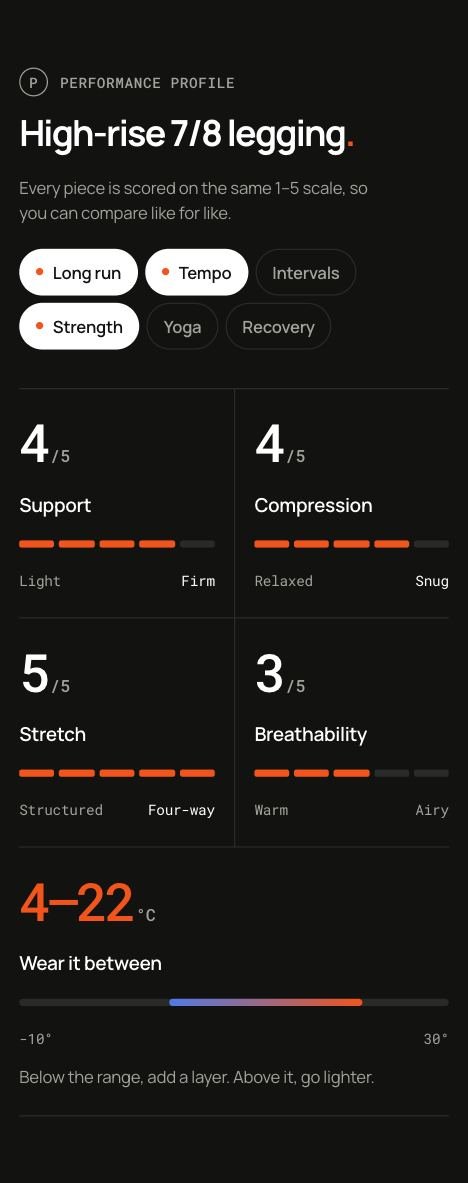 Storefront · phone
Add the section
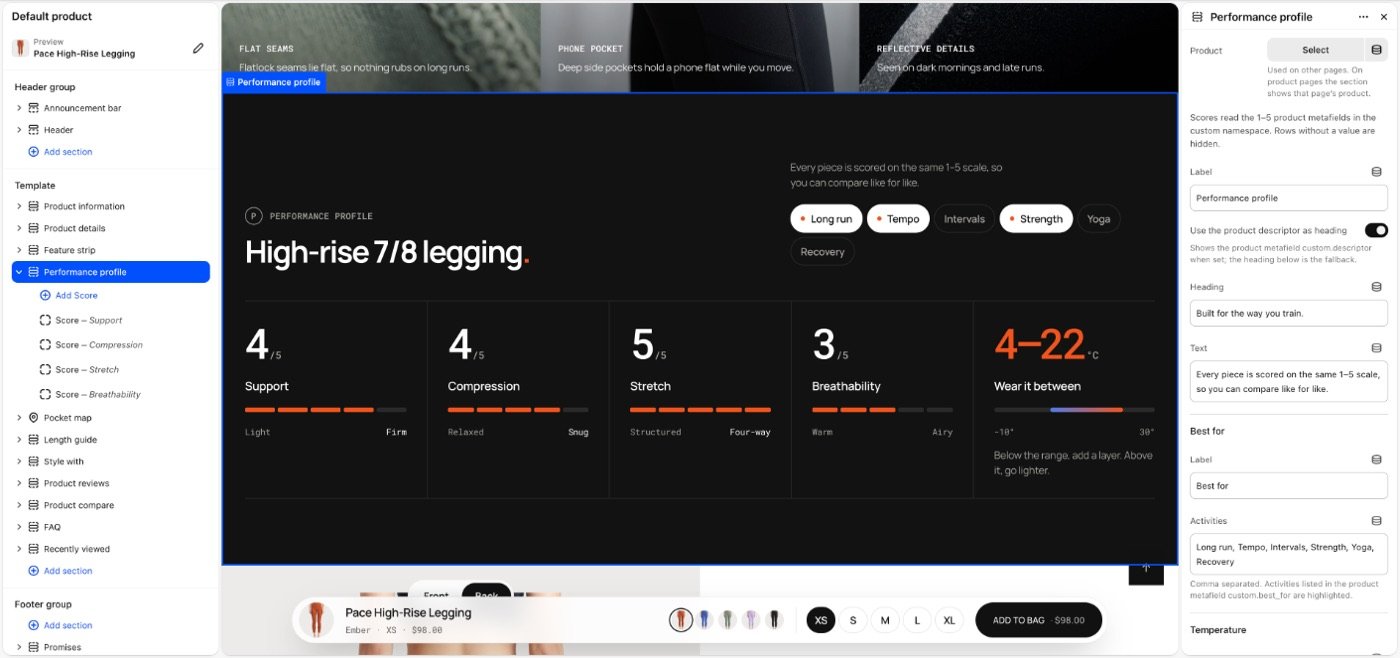
Performance profile selected in the theme editor: its blocks in the list on the left, its settings on the right.
- In the theme editor, open the page you want it on, for example Home page.
- Select Add section and choose Performance profile.
- Select Add block to add Score.
- Fill in the settings below, then Save.
In the demo store: page.campaign, product, product.one-column, product.thumbnails-below, product.thumbnails-beside.

Section settings
| Setting | Type | Default | What it does |
|---|---|---|---|
| Product | Product | — | Used on other pages. On product pages the section shows that page’s product. |
| Label | Text | Performance profile | |
| Use the product descriptor as heading | Checkbox | On | Shows the product metafield custom.descriptor when set; the heading below is the fallback. |
| Heading | Text | Built for the way you train. | |
| Text | Text | Every piece is scored on the same 1–5 … | |
| Best for | |||
| Name for screen readers | Text | Best for | Read out instead of a visible heading. |
| Activities | Text | Long run, Tempo, Easy runs, Strength, … | Comma separated. Activities listed in the product metafield custom.best_for are highlighted. |
| Temperature | |||
| Label | Text | Wear it between | |
| Unit | Text | °C | Shown after the range, such as °C or °F. Use the same unit in the metafields and the scale. |
| Scale start | Slider -30–50° | -10° | |
| Scale end | Slider 15–120° | 30° | |
| Note | Text | — | Replaced by the product metafield custom.temp_note when set. |
| Layout | |||
| Space above | Choice | Default | Options: Default, None, Small, Medium, Large, Custom. |
| Space below | Choice | Default | Default follows Theme settings > Layout > Space between sections and lets edge-to-edge bands touch. Small, Medium and Large are half, equal to and one and a half times that spacing. Options: Default, None, Small, Medium, Large, Custom. |
| Space above | Slider 0–200px | 80px | |
| Space above on phones | Slider 0–200px | 56px | |
| Space below | Slider 0–200px | 80px | |
| Space below on phones | Slider 0–200px | 56px | |
| Divider above | Choice | None | Waves and curves cut into the edge of a section with its own color scheme or a background; a line works on any section. Options: None, Line, Wave, Curve out, Curve in. |
| Divider below | Choice | None | Options: None, Line, Wave, Curve out, Curve in. |
| Show on | Choice | All devices | Desktop means screens 990px and wider. A hidden section stops its timers and videos and does not load its images; in the theme editor it stays visible, faded, so you can edit it. Options: All devices, Desktop only, Mobile and tablet only. |
| Heading | |||
| Heading size | Choice | Default | Options: Default, Small, Medium, Large, Display. |
| Heading tag | Choice | Auto | Changes meaning for search engines and screen readers, not the look. Auto uses H2. Choose H1 only for the main title of a page, such as a home page hero. Options: Auto, H1, H2, H3. |
| Appearance | |||
| Color scheme | Color scheme | Scheme 3 | |
Note Scores read the 1–5 product metafields in the custom namespace. Rows without a value are hidden.
Blocks
Up to 6 blocks.
Score
| Setting | Type | Default | What it does |
|---|---|---|---|
| Title | Text | Support | |
| Metafield key | Text | support_level | Key in the custom namespace, with a value from 1 to 5. |
| Low end label | Text | Light | |
| High end label | Text | Firm | |
| Note | Text | — | Replaced by the product metafield custom.[key]_note when set (for example support_level_note). |

Tip Each score reads a product metafield in the custom namespace by its key, for example support_level, with a value from 1 to 5. A matching key_note metafield (support_level_note) adds a line under the score.
Tip The temperature cell needs both custom.temp_min and custom.temp_max. Best for highlights the activities listed in custom.best_for. Change Unit to °F if your metafields hold Fahrenheit, and widen the scale to match.
Limitations and troubleshooting
- Scores without a value are hidden. The whole section hides when the product has no scores, even if it has a temperature range.
- Works on any page: on product pages it shows that page's product, elsewhere the product picked in Product (hidden until one is picked). Up to 6 scores.
- The bars fill in as the section scrolls into view, except for visitors who prefer reduced motion.
Related: Product compare · Product details · Length guide
Was this page helpful? No, ask support
Still stuck?
Contact supportSend us a screenshot and your store link. We reply within two business days.