Sections / Page templates
FAQ page
A help center page with topics in a side menu, questions as open and close answers, a live search that highlights matches and a help card with team photos. You want a searchable FAQ page that groups questions by topic.
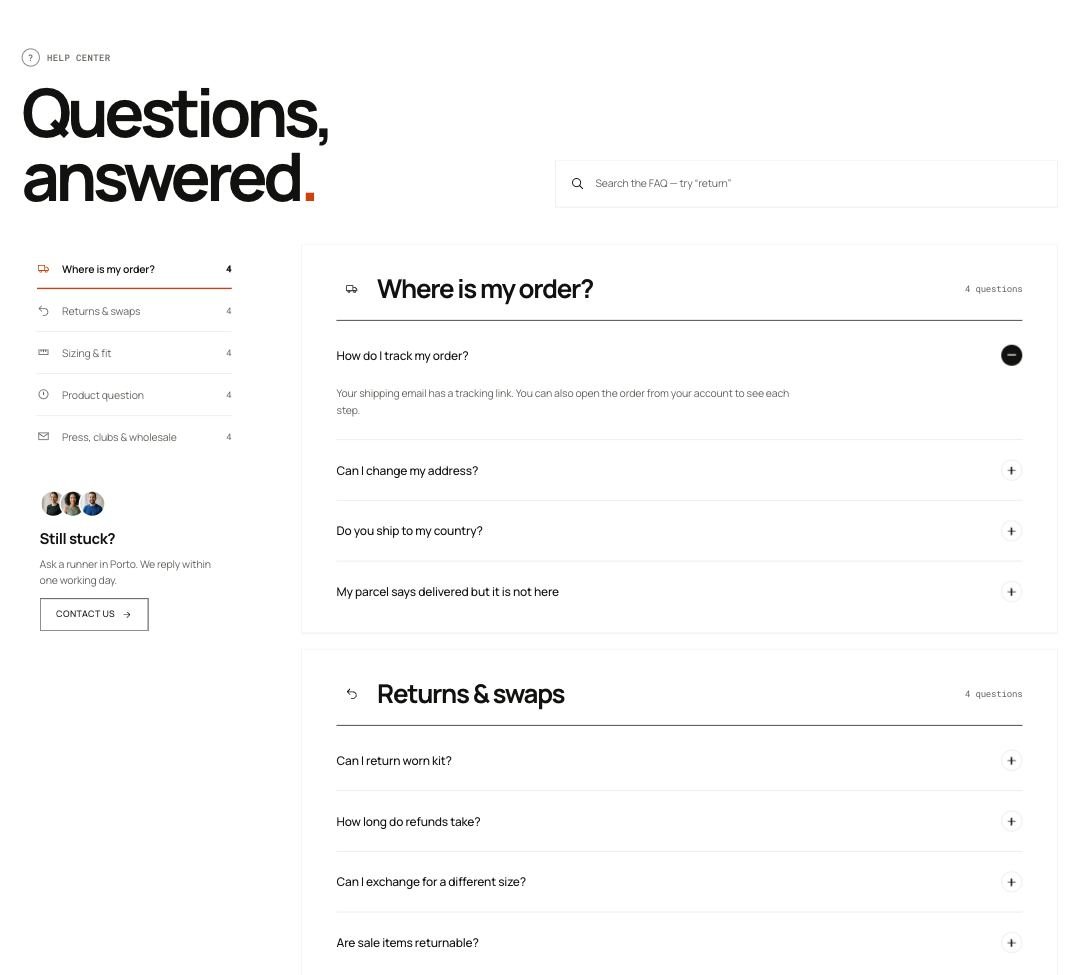 Storefront · desktop
 Storefront · phone
Add the section
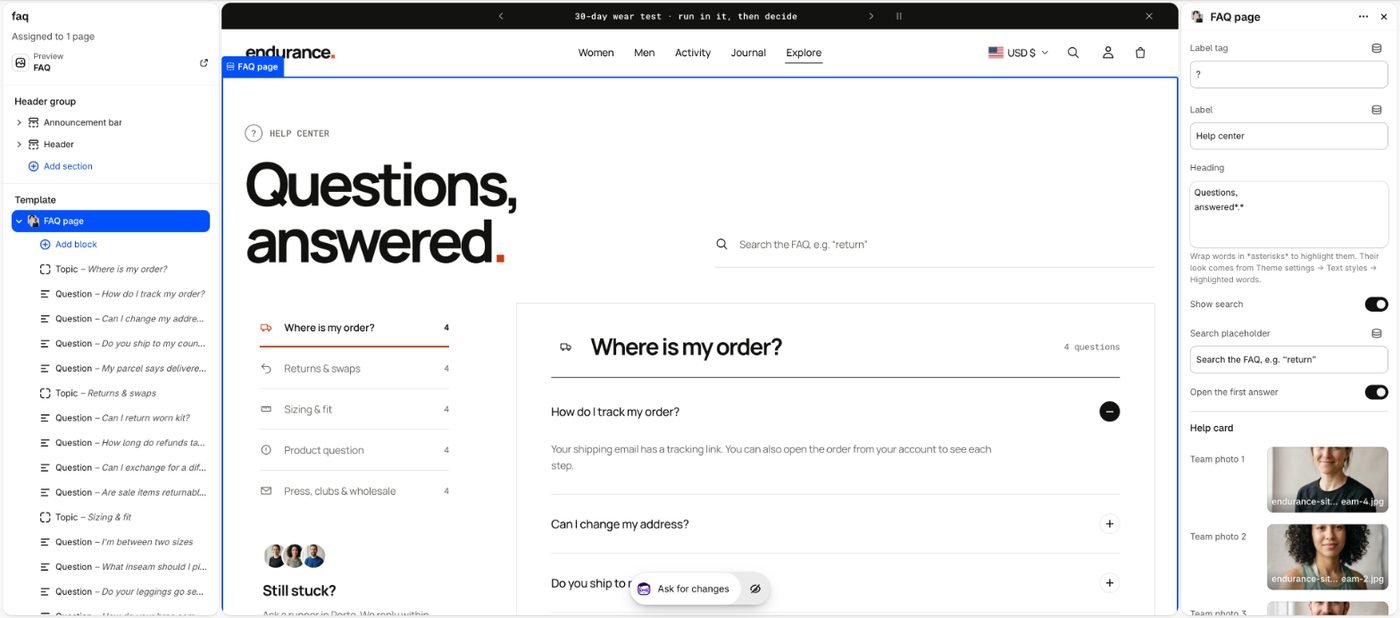
FAQ page selected in the theme editor: its blocks in the list on the left, its settings on the right.
This section is part of a page template (page.faq), so it is already in place. Open that template in the theme editor and select the section to change it.
In the demo store: page.faq.
Image sizes Desktop Team photos: 192 × 192 px, square. All image sizes

Section settings
| Setting | Type | Default | What it does |
|---|---|---|---|
| Label tag | Text | ? | |
| Label | Text | Help center | |
| Heading | Text | Questions, answered*.* | Wrap words in asterisks to highlight them. Their look comes from Theme settings → Text styles → Highlighted words. |
| Show search | Checkbox | On | |
| Search placeholder | Text | Search the FAQ, e.g. “return” | |
| Open the first answer | Checkbox | On | |
| Help card | |||
| Team photo 1 | Image | — | |
| Team photo 2 | Image | — | |
| Team photo 3 | Image | — | |
| Heading | Text | Still stuck? | |
| Text | Text | Our team is happy to help. | |
| Button label | Text | Contact us | |
| Link | Link | — | |
| Second button label | Text | — | |
| Second button link | Link | — | |
| Position | Choice | Under the topics | Options: Under the topics, Below the questions. |
| Question form | |||
| Show a question form | Checkbox | Off | Under the questions. Messages reach the store email (Settings > Store details), tagged faq-question. |
| Heading | Text | Didn't find your answer? | |
| Text | Text | Send us your question and we will repl… | |
| Layout | |||
| Content width | Choice | Page width | Options: Page width, Narrow. |
| Appearance | |||
| Color scheme | Color scheme | Scheme 1 | |
Blocks
Topic
| Setting | Type | Default | What it does |
|---|---|---|---|
| Icon | Choice | Delivery | Options: Delivery, Returns, Sizing, Info, Email, Gift, Repair, Chat. |
| Heading | Text | Where is my order? |

Question
| Setting | Type | Default | What it does |
|---|---|---|---|
| Question | Text | How do I track my order? | |
| Answer | Rich text | — |

Tip Add a Topic block, then the Question blocks for it right below. Each topic collects the questions that follow it until the next topic.
Tip The questions are also shared with search engines as FAQ data.
Tip Show a question form adds a short contact form under the questions; messages reach the store email tagged faq-question.
Tip The Still stuck card can sit under the topics or below the questions, with a second link.
Tip Content width Narrow keeps the page at a reading width on large screens.
Limitations and troubleshooting
- Questions placed above the first topic are not shown.
- The help card only shows when it has a heading. A button without a link shows in the editor only, so add one for shoppers to see it.
- On phones the topic menu becomes a sideways scrolling row.
Related: Contact page · Page
Was this page helpful? No, ask support
Still stuck?
Contact supportSend us a screenshot and your store link. We reply within two business days.